 Make yours now
 Enough for 10 ten second videos







Restore Old Photos with AI
Bring damaged and faded photos back to life
Got old family photos with scratches, fading, or damage?
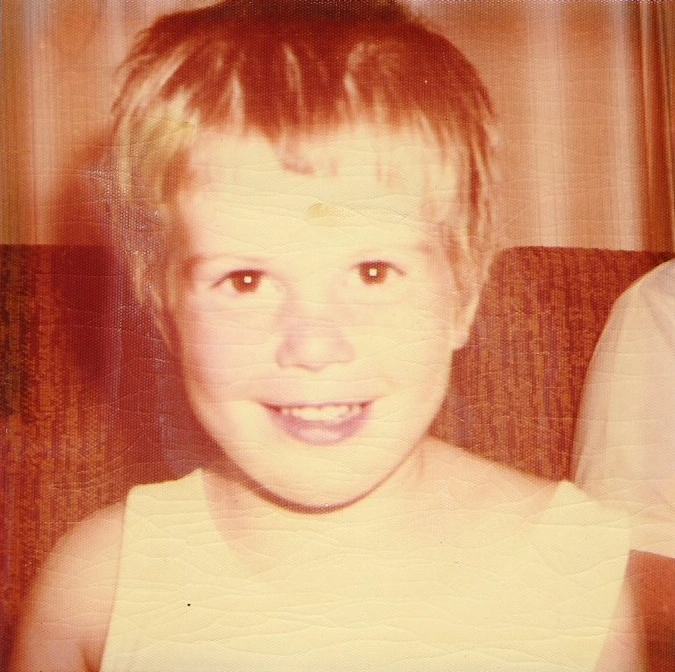
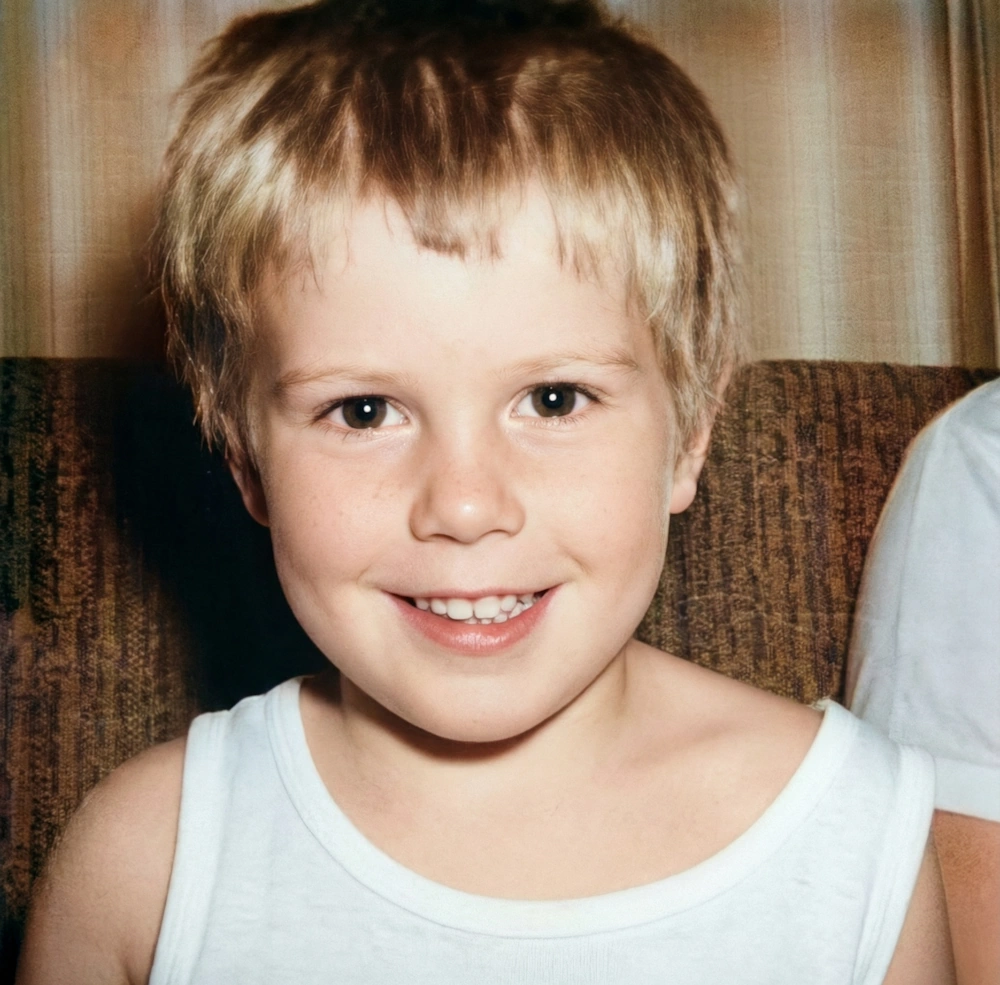
NeonSnap's Photo Restore repairs damaged photographs with AI. It removes scratches, creases, dust spots, water stains and fading, and keeps the original texture, so the result still feels like the photo from the album rather than a modern re-edit. Upload a scan or a phone snap of the print and see the repair in seconds.
Try Some Of Our Other AI Editing Tools




Restore old photos in one click, without losing the character of the original.
NeonSnap's Photo Restore repairs scratches, creases, dust spots, water stains and chemical fading while keeping the original film grain and texture, so a 1970s print still looks like a 1970s print, just undamaged. It runs in your browser, needs no account, and takes seconds. When you want to print the result at a larger size, the AI Upscaler can raise it to 2K first.
 Remove scratches & damage Repair cracks, creases, and fold marks
 Enhance clarity & contrast Restore full dynamic range and face detail
 Fix fading & discoloration Neutralize yellowing and restore original colors
 Preserve authenticity Keeps original film grain and texture intact
Frequently asked questions
What does the Photo Restore feature do?
Photo Restore repairs old and damaged photographs with AI. It removes scratches, creases, dust spots, water stains and fading, recovers face detail, and fixes discolouration, while keeping the original film grain and texture that give old photos their character.
Can it restore severely damaged photos?
Yes. It can handle deep scratches, large creases, water stains, heavy fading and yellowing. Damaged areas are rebuilt from the surrounding image, so repairs blend in rather than looking patched.
Will my restored photo look artificial or over-smoothed?
No. The AI repairs damage without over-smoothing, so the result looks like a well-kept original print rather than a modern digital photo. Film grain and paper texture stay intact.
Will it colourise black-and-white photos?
Not on its own. Photo Restore keeps your original colour mode, so black-and-white photos stay black-and-white with better contrast and clarity. To add colour, run the restored photo through the Colorize tool afterwards.
What kind of photos can I restore?
Any old or damaged photograph: family portraits, heritage photos, vintage prints, and faded or water-damaged pictures.
Do I need to create an account?
No accounts, no logins, no forms. Upload your photo, let the AI restore it, and download the repaired image.
Is this free?
Yes. You get a few restorations free to try it out, with upgrade options for more coming soon.
Is this different from your other transformations?
Yes. Photo Restore only repairs physical damage and age-related fading. It doesn't change how you look or add creative effects. If you want to print the result at a larger size, pair it with the AI Upscaler.