 £2.99 for 10 tokens


Go anywhere, virtually
Change your background to a beach, a mountain view, a luxury interior or a clean studio in moments.



Want a different setting without going anywhere?
NeonSnap's Background Change swaps the backdrop and leaves you as you are. Lighting is matched to the new scene and the edges around your hair and clothing stay clean, so a studio or beach shot looks like it was taken there. Describe the setting or upload a reference image.
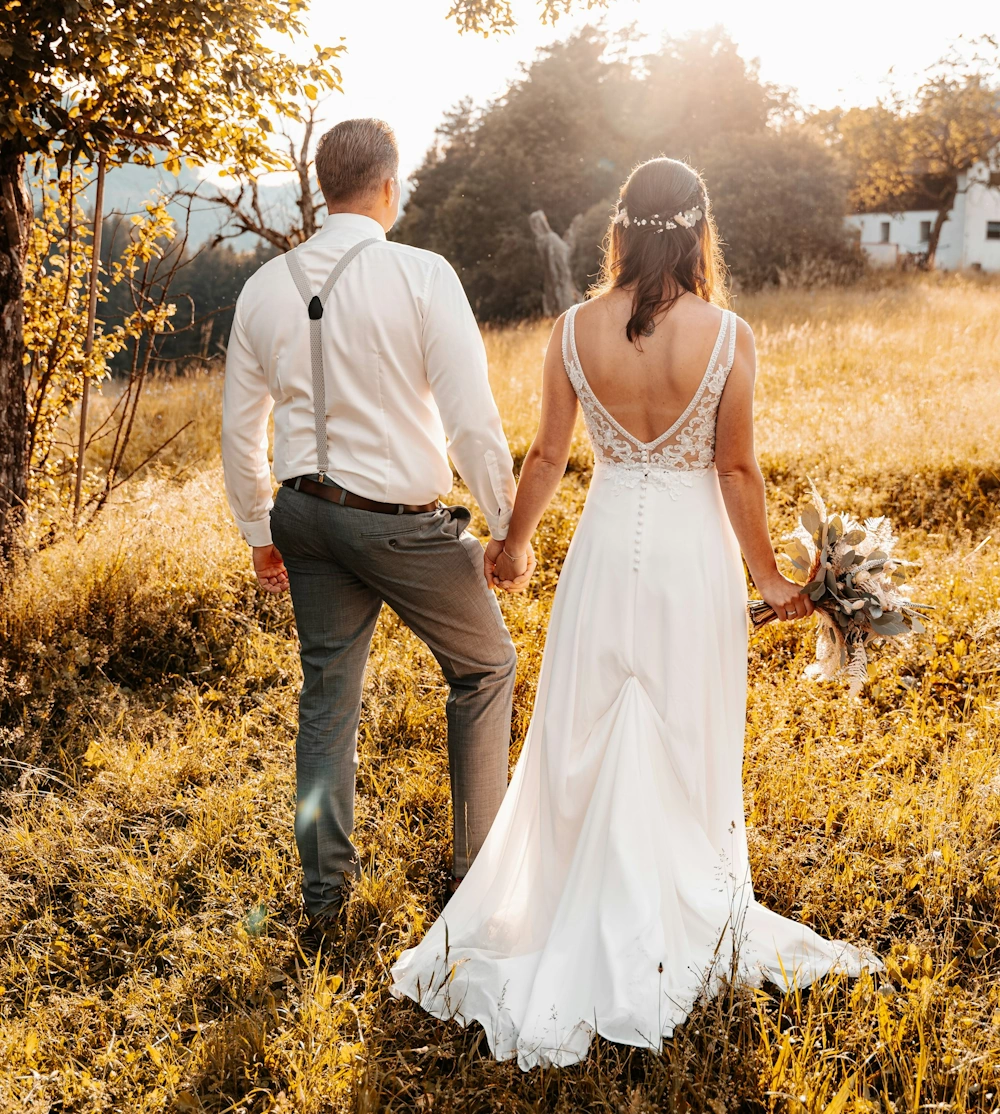
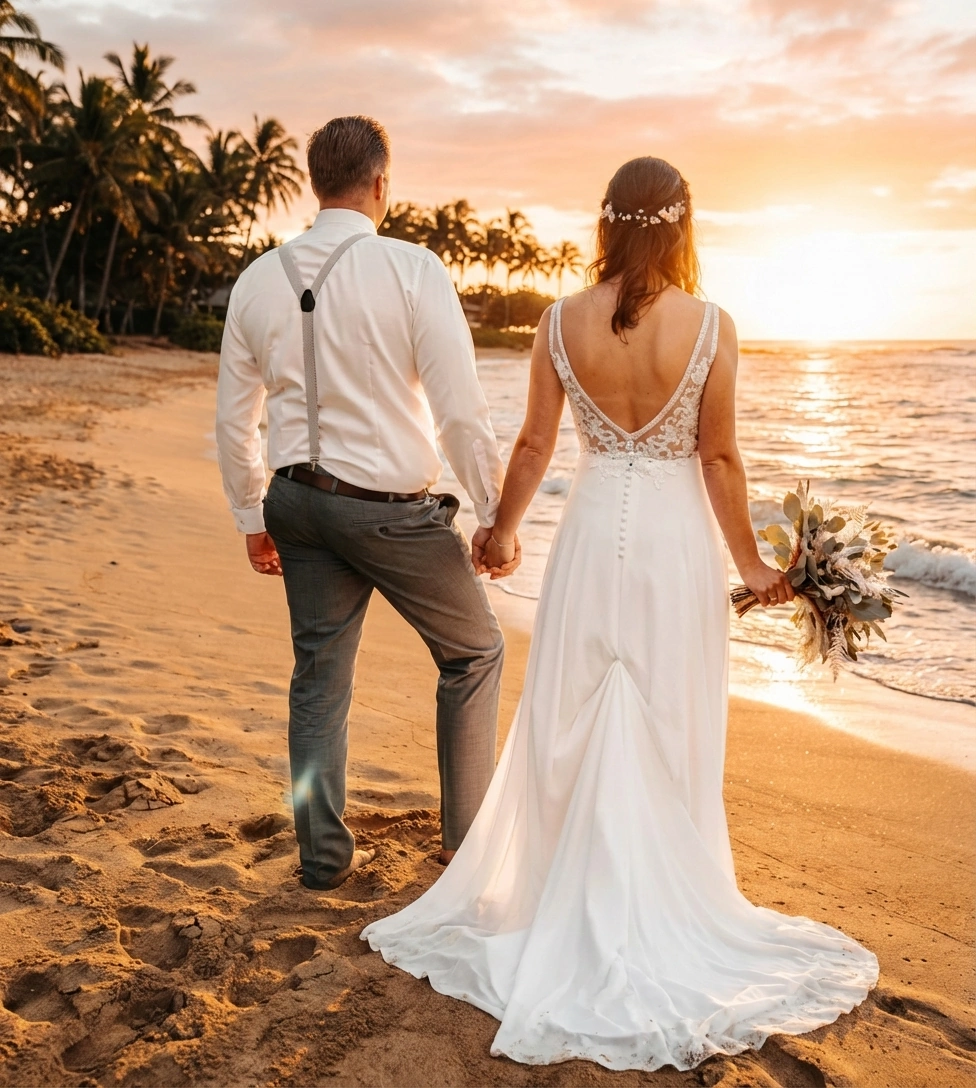
Want to turn your photo into a beach shot, a studio portrait or a city scene? Upload your photo, describe the setting, and the AI background changer gives you a clean, realistic backdrop, no green screen or editing skills required.
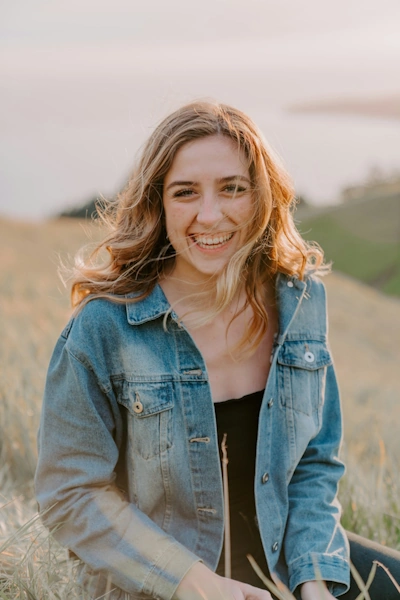
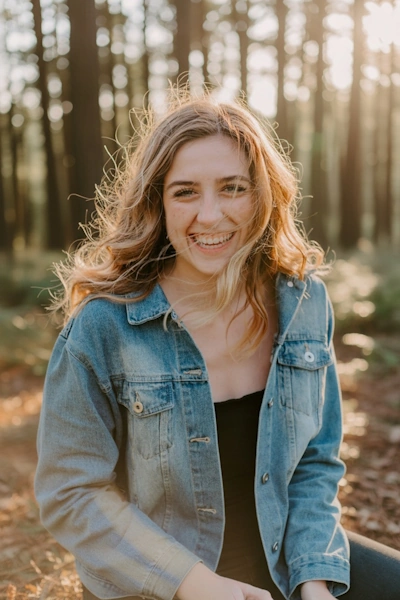
Change your background to a beach, a mountain view, a luxury interior or a clean studio in moments.
Set up scenes for YouTube, Instagram or LinkedIn without location scouting or equipment.
The AI cuts around hair, clothes and fine detail so the result doesn’t have the tell-tale halo.
Describe any backdrop, urban, natural, minimal or abstract, and it’s generated around you.
For a fuller checklist, see our guide on how to look good in photos.
Updating a work profile? Our guide to updating your LinkedIn photo walks through the whole process, and the LinkedIn headshot tool handles lighting and attire as well as the backdrop. For passport or ID photos, which have strict background rules, use the passport photo tool.
Keep a consistent backdrop across a whole set of portraits, put products on a clean gradient without a lightbox, or preview a location before you commit to the shoot.
If the first result isn’t quite right, our prompt writing guide covers how to describe a scene so the AI lands it.
Take the best photo you already have, swap the kitchen for a plain studio backdrop, and you have a profile picture that passes for a paid headshot.
Photograph the item on a table, replace the background with a clean gradient, and skip the hours of cutting it out by hand.
Build a set of location shots for a content page with consistent lighting on you, without booking a flight or a studio.
Upload your photo, describe the setting, and see yourself there in seconds. It’s free to try. If you want to change what you’re wearing too, the outfit changer does that part.
It replaces the background in your photo and leaves you unchanged. Lighting is matched, the edges around your hair and clothing are kept clean, and contact shadows are added so you look like you were photographed in the new setting.
The AI separates you from the original background, generates the new setting from your description or reference image, and blends the two with matching perspective, tone and lighting.
Yes. Ask for a plain white or light grey studio backdrop and you get a clean headshot-style result. For passport or ID photos, which have stricter rules, use our passport photo tool instead.
No. Perspective, tone and lighting are adjusted to the new scene, so the result looks like a photo taken there rather than a cut-out pasted on top.
Either. Describe the setting in text, upload a reference image for the style, or do both.
Yes. There are built-in options such as studios, outdoor scenes and minimalist rooms, and you can upload your own.
Studios, offices, outdoor locations, city streets, landscapes and abstract backdrops. Describe it or upload a reference and the AI matches it to your lighting.
Yes. You can change your background along with your hair, makeup or outfit, and the AI blends everything into one image.
No. NeonSnap runs in your browser with no download, account or form to fill in. Upload your photo and download the result.
Yes. Photos are processed securely and deleted automatically after your background change is complete. We never share them.
Yes. You get a few background changes free to try it out, with upgrade options for more coming soon.
Yes. Background Change only replaces your surroundings and leaves you as you are. For a full professional headshot treatment, including lighting and attire, use the LinkedIn headshot tool.