£2.99 for 10 tokens



Want to virtually try on new clothes without leaving home? NeonSnap's AI outfit changer lets you swap outfits instantly, no dressing room required. Whether you're exploring new styles, planning a wardrobe, or just having fun with fashion, NeonSnap's AI-powered clothing tool delivers strikingly realistic results in seconds. This guide walks you through exactly how to use NeonSnap to change outfits with AI, get the best results, and unlock the full potential of virtual try-on technology.
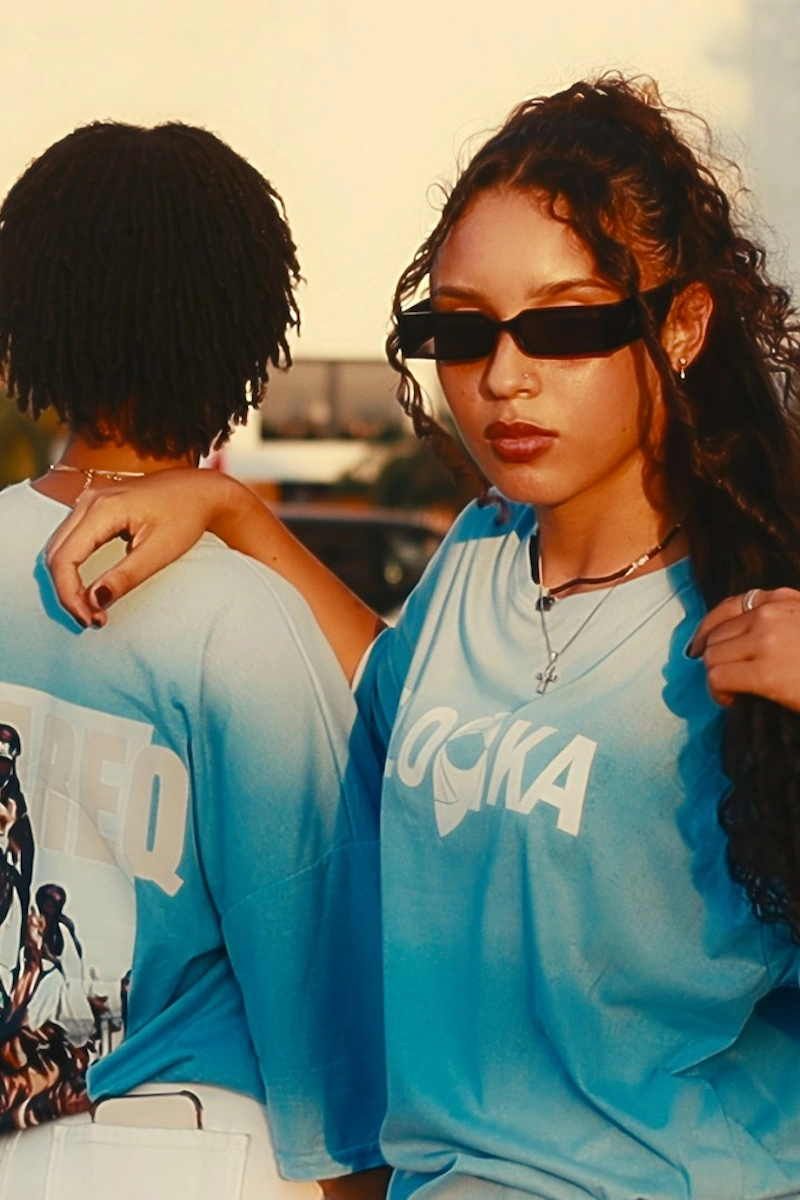
How to Change Your Outfit with AI
The Complete Guide To Writing An Outfit Change Prompt
What Is AI Outfit Changing and How Does NeonSnap Use It?
AI outfit changing, sometimes called AI virtual try-on or AI clothes swapping, is a technology that uses advanced machine learning to realistically replace the clothing in a photo. Unlike basic photo editing, AI outfit changers understand the shape, lighting, and texture of the human body, producing results that look genuinely natural.
NeonSnap uses a high-fidelity AI model purpose-built for clothing replacement. This means it doesn't just paste a new garment onto your photo: it intelligently adapts the outfit to your body shape, pose, and lighting conditions. The result is a photorealistic image that looks like you actually wore the outfit, making NeonSnap one of the most powerful AI fashion tools available today.
How to Change Your Outfit on NeonSnap: Step by Step
Getting started with NeonSnap's AI outfit changer is straightforward. Here's how to do it:
Step 1: Upload Your Photo
Start by uploading a photo of yourself, or any person, whose outfit you'd like to change. NeonSnap's AI will analyse the image and prepare it for the clothing swap. For the cleanest results, use a well-lit photo with a clear view of the subject.
Step 2: Choose Your Method (Reference Image or Text Prompt)
NeonSnap gives you two powerful ways to specify the new outfit: uploading a reference image of the clothing, or typing a text prompt describing what you want to wear. Both methods feed directly into NeonSnap's AI engine, which handles all the technical complexity behind the scenes.
Step 3: Generate Your AI Outfit
Once you've provided your reference image or prompt, NeonSnap's AI goes to work. Within moments, you'll receive a high-quality, photorealistic image of you (or your subject) wearing the new outfit. Because NeonSnap uses a high-fidelity model, most results look exceptional right out of the box.
Using a Reference Image for Best Results
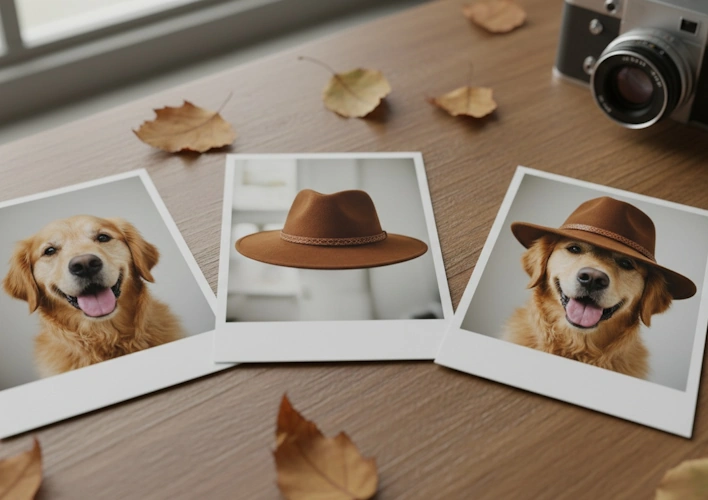
The reference image method is ideal when you have a specific piece of clothing in mind, perhaps a dress you've seen online, a jacket from a brand's website, or your own garment photographed at home.
emoji_objects
For the best AI outfit changing results, use a photo of the clothing on its own against a plain, neutral background.
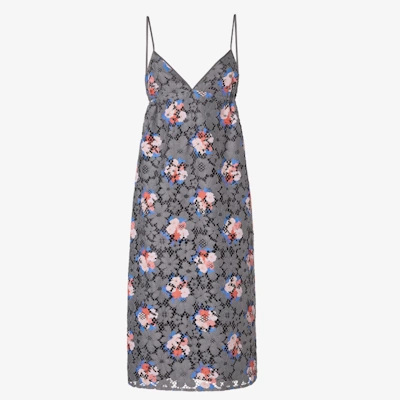
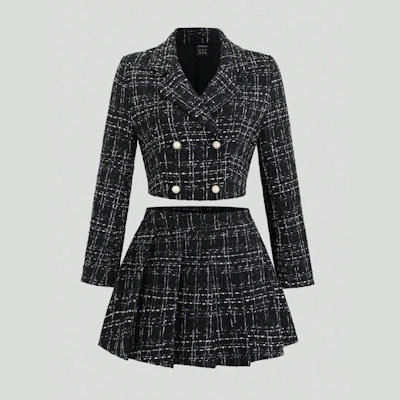
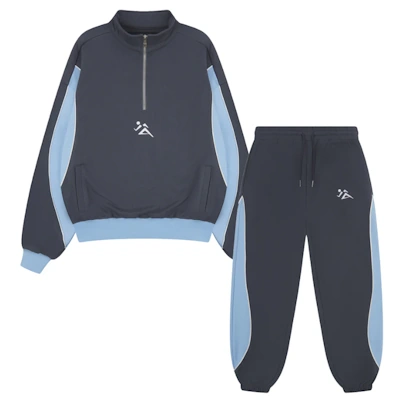
Images with a clean background work best as a reference image.
When the garment is isolated on a clean background such as a white or grey surface then NeonSnap's AI can clearly identify the clothing's cut, colour, fabric texture, and design details. This gives the model everything it needs to accurately reproduce the outfit on your photo.
What about using a photo of someone wearing the outfit?
You can use a photo of a person already wearing the outfit as your reference image, and in many cases this works well. However, it's worth knowing that this can sometimes confuse the AI. When a garment is being worn, elements like body shape, shadows, skin tone, and folds can make it harder for the AI to isolate the clothing alone, potentially leading to unexpected or blended results. Whenever possible, stick to product-style shots for the cleanest AI outfit swap.
Best practices for reference images:
- Use a plain, solid-coloured background (white or light grey works best)
- Ensure the entire garment is visible in the frame
- Use good lighting so colours and textures are clearly rendered
- Avoid busy backgrounds, patterns, or other distracting elements
- Use high-resolution images where possible for sharper AI output
Using a Text Prompt to Change Your Outfit with AI
Don't have a reference image? No problem. NeonSnap's text prompt feature lets you describe the outfit you want, and the AI will generate and apply it to your photo.
The great news: you don't need to write a complex prompt.
NeonSnap handles all the technical prompting behind the scenes. You simply need to describe what clothes you want to wear. NeonSnap takes care of the rest. This makes it incredibly accessible even if you've never used an AI image tool before.
Effective prompt examples:
- "A red silk evening gown"
- "Casual oversized beige hoodie and black joggers"
- "A sharp navy blue business suit with white shirt"
- "Floral summer dress with thin straps"
- "Leather biker jacket and ripped jeans"
Keep prompts focused on the clothing itself: colour, style, fabric, and fit. There's no need to describe the background, lighting, or anything else. NeonSnap's AI handles those details automatically.
Why NeonSnap's AI Outfit Results Look So Realistic
Many AI fashion tools produce results that look edited or artificial. NeonSnap is different. The platform uses a high-fidelity AI model specifically trained for clothing generation and virtual try-on, meaning it understands how fabric drapes over a body, how light interacts with different materials, and how garments sit in motion or at rest.
The result is AI outfit changing that looks genuinely photorealistic. Textures like denim, satin, knitwear, and leather are rendered with impressive accuracy, and the clothing conforms naturally to the subject's body shape and pose. Most results from NeonSnap should look exceptional, making it a reliable tool whether you're styling content for social media, planning outfits, or exploring your personal style.
Common Use Cases for AI Outfit Changing on NeonSnap
NeonSnap's virtual try-on technology is versatile. Here are some of the most popular ways people are using it:
- Virtual wardrobe planning: visualise how new pieces will look before buying
- Social media content creation: create stylish, varied outfit photos without multiple photoshoots
- Fashion mood boarding: experiment with different aesthetics and styles quickly
- Online shopping: see how specific items would look on your own photo before purchasing
- Creative styling projects: mix and match outfits for editorial or artistic purposes
Tips for Getting the Best AI Outfit Swap Results on NeonSnap
To consistently get great results from NeonSnap's AI clothing changer, keep these tips in mind:
- Use a clear, well-lit base photo of your subject. The AI performs best with good quality input images
- For reference images, always opt for product-style shots on a plain background over worn clothing photos
- Be specific in text prompts about style and colour: the more descriptive, the closer the output matches your vision
- Experiment freely: NeonSnap's high-fidelity model means even unexpected combinations often produce stunning results
- Try multiple generations if needed: slight variation between outputs can help you find the perfect fit
Start Changing Outfits with AI on NeonSnap Today
NeonSnap makes AI outfit changing simple, fast, and impressively realistic. Whether you're uploading a reference image of your favourite garment or describing your dream outfit in a few words, NeonSnap's powerful AI engine does the heavy lifting, delivering high-quality, photorealistic results that put you in any outfit imaginable.
For the best experience: use clean product images as references, keep prompts clothing-focused, and let NeonSnap's high-fidelity AI model deliver the exceptional results it's built for.
Frequently Asked Questions
Can I use any photo to change my outfit with AI on NeonSnap?
Yes, but photo quality makes a big difference. Well-lit photos with a clear view of the subject produce the most realistic outfit swaps. Blurry, dark, or heavily cropped images can limit the AI's ability to accurately adapt the new clothing to the body shape and pose.
What is the difference between using a reference image and a text prompt?
A reference image lets you upload a specific garment you want to try on, such as a product photo from a retailer's website. A text prompt lets you describe the outfit in words and the AI generates it. Reference images are best when you have a specific item in mind, while text prompts are ideal for exploring new styles or when you don't have an image to hand.
Why does my AI outfit change look unnatural?
The most common cause is a low-quality reference image. If the garment photo has a busy background, heavy shadows, or is partially obscured, the AI has less information to work with. For best results, use a product-style shot of the garment on a plain, light-coloured background. If using a text prompt, try being more specific about the style, colour, and fabric.
Can I try on specific clothing items I've seen online?
Yes. Save the product image from the retailer's website and upload it as your reference image in NeonSnap. Product photos on clean backgrounds work perfectly, giving the AI a clear view of the garment's cut, colour, and design details.
What types of outfits can I change with NeonSnap?
NeonSnap supports a wide range of clothing types including dresses, suits, casual wear, sportswear, outerwear, and more. You can swap full outfits or describe individual pieces. Both everyday clothing and more creative or editorial styles work through either reference images or text prompts.
Ready to transform your wardrobe with AI?
Head over and try your first AI outfit change.
Try NeonSnap Outfit Change →