£2.99 for 10 tokens



A new haircut is one of the few changes to your appearance that you cannot undo on the spot, which is exactly why people agonise over it. An AI hairstyle try-on removes the guesswork: upload your photo, and see a realistic preview of any cut, style, or colour on your own face before you ever sit in the chair.
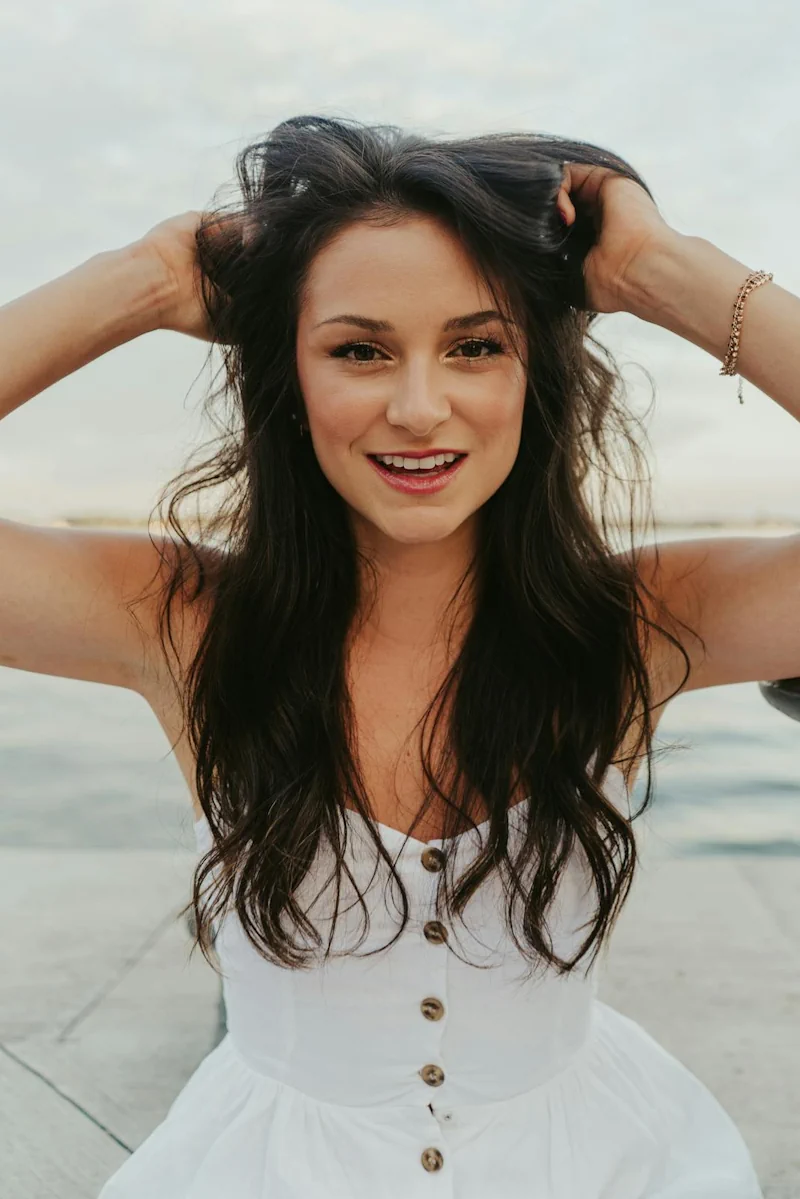
What Would I Look Like With Different Hair?
Try Any Hairstyle and Colour on Your Own Photo, Free
The short answer
To see what you'd look like with different hair, upload a clear, front-facing photo to a free AI hairstyle try-on like NeonSnap's Hair Change tool, then pick a cut, style, or colour. The AI applies the new look to your own face while keeping your features recognisable, so you can judge whether a style genuinely suits you, instead of guessing from a photo of a model with a different face shape. The rest of this guide covers the styles you can try and how to choose.
Almost everyone has stared at a reference photo, loved the style, booked the appointment, and then been disappointed because the cut that looked perfect on someone else did not translate to their own face. The problem is never the style itself. It is that a haircut interacts with your specific face shape, hair texture, and features, and a photo of someone else tells you nothing about how it will sit on you.
This is the entire point of an AI hairstyle try-on. Rather than imagining the result, you see it on your own photo first.
Try it before you cut
See any hairstyle on your own face
Upload a photo to NeonSnap's free AI Hair Change tool and preview cuts, styles, and colours on your own face, not on a model with a different face shape.
Try the AI Hair Change tool free →How an AI Hairstyle Try-On Works
An AI hairstyle try-on works by analysing a photo of your face and generating a new image with your chosen hairstyle applied, while keeping your features, skin tone, and proportions intact. You do not need any technical skill. The process is three steps: upload a clear photo, choose a style or colour, and review the preview. If you want to compare options, you simply run it again with a different choice.
Because the result is generated on your own face, it answers the question that reference photos never can: not "does this style look good," but "does this style look good on me." That distinction is the whole reason the tool is useful.
Why Try a Hairstyle on Your Photo First
A preview before the salon protects you from the two changes that are hardest to reverse: a cut that removes length you cannot get back for months, and a colour that needs stripping or growing out. Seeing the result first turns an irreversible decision into a reversible one.
- It removes the reference-photo gap. The style that suits a model with a long oval face may not suit a rounder or squarer face. A try-on shows you the version that matters, the one on your own features.
- It saves money and regret. Corrective cuts, colour fixes, and the long grow-out of a style you dislike all cost time and money. A free preview costs neither.
- It makes the salon conversation easier. Walking in with a preview of the style on your own face gives your stylist far more to work with than a photo of a celebrity, and removes ambiguity about length, shape, and colour.
- It lets you be bold safely. A dramatic change you would never risk on impulse becomes low-stakes when you can see it first. Plenty of people discover a style suits them far more than they expected.
Popular Cuts and Styles You Can Try On
These are some of the most-searched hairstyles people want to preview before committing. Each links to a dedicated try-on so you can see it on your own photo in seconds.

What would I look like with a buzz cut?
The buzz cut is the highest-stakes preview of all, because there is no quick way back if it does not suit you. It rewards strong bone structure and an even hairline, but plenty of people are surprised by how well it works on them. See it on your own face first with the buzz cut AI try-on.
What would I look like with a pixie cut?
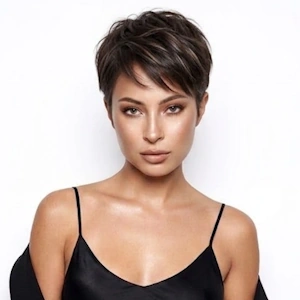
A pixie is a bold, low-maintenance crop that draws attention to the eyes and cheekbones. It suits a wide range of face shapes once the length and texture are adjusted to fit. Preview it with the pixie cut AI try-on.
What would I look like with a wolf cut?
The wolf cut blends a shag and a mullet into heavily layered, textured volume. It is one of the most requested modern styles, but the layering makes it hard to picture in advance. Try the wolf cut AI try-on to see it on you.
What would I look like with a lob?
The lob, a longer bob that sits around the collarbone, is one of the most universally flattering lengths because it frames the face without the commitment of a full bob. Preview it with the lob hairstyle AI try-on, or try the shorter, sharper French bob.
What would I look like with curtain bangs?
Curtain bangs are the lowest-commitment way to change how your hair frames your face, parted in the centre and falling softly to each side. See them on your photo with the curtain bangs AI try-on, or read our full curtain hair style guide for the complete look.
What would I look like with a butterfly or octopus cut?
Both are layered, voluminous styles built for movement: the butterfly cut for soft, face-framing layers and the octopus cut for a longer, shaggier shape. Preview the butterfly haircut, the octopus cut, or the cropped bixie on your own photo.
One tool, every style and colour
The styles above each have their own try-on, but NeonSnap's free AI Hair Change tool lets you experiment with any cut, length, or colour on a single photo, as many times as you like.
Try the AI Hair Change tool free →Men's Haircuts You Can Try On
The same try-on works for men's cuts, from short and sharp to longer and textured. If you want to see a style on your own face before the barber, these are the most popular previews.
The fade and the undercut
The two foundations of modern men's hair. A fade tapers the sides into the skin for a clean gradient, while an undercut keeps a sharp contrast between short sides and longer hair on top. Preview the fade haircut and the undercut on your photo.
The French crop and textured crop
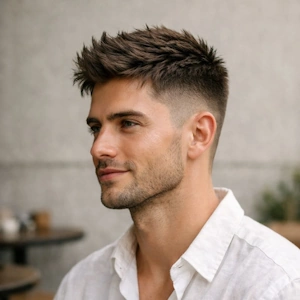
Low-maintenance, modern, and flattering on most face shapes, these crops keep things short with a textured fringe. Try the French crop or the textured crop before booking.
The quiff and the baby mullet
For more length and personality on top, the quiff adds volume and height, while the baby mullet brings a softer, shorter take on the mullet's comeback. Preview the quiff or the baby mullet on your own face.
Curtain hair and longer styles
Curtain hair remains one of the most requested medium-length men's styles, centre-parted and face-framing. See it with the curtain hair AI try-on and read the full curtain hair guide.
Trying a New Hair Colour Before You Commit
Colour is even harder to reverse than a cut, which makes previewing it first the single most useful thing you can do before a salon visit. A try-on lets you see blonde, brunette, red, balayage, or highlights against your own skin tone before any dye touches your hair.
Skin tone is the deciding factor most people overlook. A shade that looks striking on a swatch or on someone else can clash with your undertones in a way that is impossible to predict from a colour chart. Seeing it on your own photo answers the question directly. Start with the balayage try-on, or use the AI Hair Change tool to test any colour you like.
Choosing a Hairstyle for Your Face Shape
Face-shape guidance is a useful starting point, but it is a guide, not a rule. The only way to know for certain is to see the style on your own face. As a rough map:
- Oval faces are the most flexible and suit almost any cut, length, or fringe.
- Round faces benefit from height and length rather than width, so styles that add vertical lift or fall below the chin tend to flatter.
- Square faces soften with layers, texture, and waves that break up a strong jawline.
- Heart-shaped faces suit volume kept below the cheekbones, with styles like the lob and curtain bangs balancing a wider forehead.
- Long or oblong faces suit width-adding styles, fringes, and bobs that visually shorten the face.
lightbulb
Pro tip: Do not stop at the style your face shape "should" suit. Try the one you actually want too. AI try-ons cost nothing to run, and people regularly find a style flatters them far more than the rules predicted.
Getting the Best Results From a Photo
The quality of your preview depends on the quality of your photo. A few simple things make the difference between a realistic result and a rough one:
- Use a clear, front-facing photo with your whole face visible and your current hair pulled back or tucked away where possible.
- Choose good, even lighting, ideally natural daylight, and avoid heavy shadows across your face.
- Remove obstructions such as sunglasses, hats, and anything covering your hairline or face.
- Keep the background simple, which helps the AI separate your features cleanly and produce a sharper result.
Frequently Asked Questions
Can I see what I would look like with different hair?
Yes. An AI hairstyle try-on lets you upload a photo of yourself and see realistic previews of different cuts, styles, and colours on your own face. NeonSnap's free AI Hair Change tool applies the new hairstyle to your photo while keeping your features recognisable, so you can judge how a style genuinely suits you rather than guessing from a photo of a model with a different face shape.
Is there a free virtual hairstyle try-on?
Yes. NeonSnap's AI Hair Change tool is free to use. You upload a clear, front-facing photo, choose a cut, style, or colour, and the tool generates a preview on your own face. It works for both men's and women's hairstyles and covers everything from buzz cuts and pixie cuts to balayage and long layers.
How do I know which hairstyle suits my face shape?
The most reliable way is to see the style on your own face rather than relying on general face-shape rules. As a starting point, oval faces suit almost any style, round faces benefit from height and length rather than width, square faces soften with layers and texture, heart-shaped faces suit volume kept below the cheekbones, and long faces suit width-adding styles like fringes and bobs. An AI try-on lets you test these against your actual face instead of guessing.
Can I try a new hair colour before dyeing it?
Yes. As well as cuts, an AI hairstyle try-on lets you preview colours such as blonde, brunette, red, balayage, and highlights on your own photo. This is a low-risk way to see whether a colour suits your skin tone before committing to dye, which is far harder to reverse than a cut.
Does the AI hairstyle try-on work for men?
Yes. NeonSnap covers men's cuts including the fade, undercut, French crop, textured crop, quiff, and buzz cut, as well as longer styles like curtain hair. You upload your photo and preview the cut on your own face before booking the barber.
What photo works best for an AI hairstyle try-on?
A clear, well-lit, front-facing photo gives the best results. Your full face should be visible, hair pulled back or tucked away where possible, with no sunglasses, hats, or heavy shadows. Natural daylight and a plain background help the AI read your features accurately and produce a realistic preview.
See yourself with different hair, free.
NeonSnap's AI Hair Change tool lets you try any cut, style, or colour on your own photo before you book a single appointment.
Try the AI Hair Change Tool